OpenClaw on Proxmox: Taming the Most Dangerous Software
OpenClaw grants AI full access. I installed it in a Proxmox LXC to contain the risk. But...


I had just finished testing Agent-Zero and was already impressed when I stumbled upon ClawdBot. For a moment, I wondered whether it could replace my AI colleague, “Mecha.” What I discovered genuinely shook me. It began correcting its own code, and I was honestly relieved that it was confined inside a heavily restricted container.
The buzz surrounding autonomous AI agents has shifted from theoretical discussions to tangible, albeit risky, reality. Recently, a project known as OpenClaw (formerly Moltbot or ClawdBot) has garnered significant attention - and over 100,000 GitHub stars - by promising something different: an AI that doesn't just talk, but acts. Unlike a standard chatbot that politely declines to touch system files, OpenClaw is designed to have read, write, and execute permissions. This article explores how to tame this "dangerous" software, running it safely within an isolated environment while connecting it to a local Large Language Model (LLM) via Ollama.
The Architecture of Autonomy
To understand why OpenClaw feels "alive," one must look past the illusion of sentience and examine its architecture. It is not a magical entity but a sophisticated runtime fronted by a Gateway.
The Gateway acts as a traffic controller. It is a long-running process that listens for incoming connections from platforms like Telegram, Discord, or Slack. It does not "think"; it routes. When a message arrives, the Gateway passes it to the Agent runtime, which executes actions on the host computer.
The perceived autonomy comes from the Five Pillars of Input. While most users expect a simple stimulus-response (User types "Hello," Bot types "Hi"), OpenClaw reacts to:
- Direct Messages: Standard chat interactions.
- Heartbeats: A configurable timer that "wakes" the agent to check for tasks.
- Cron Jobs: Scheduled tasks (e.g., "Check server status at 8:00 AM").
- System Hooks: Triggers based on startup or shutdown events.
- Webhooks: External triggers, such as an incoming email or Jira ticket.
This architecture allows the agent to initiate conversations or tasks without human intervention, creating the spooky sensation of a "ghost in the machine."
The Security Nightmare (and Solution)
Giving an LLM "sudo" powers or shell access is akin to handing a toddler a loaded weapon. A "vibe-coded" agent - software written partially by other AIs - might hallucinate a command like rm -rf / or be tricked via Prompt Injection to exfiltrate passwords.
Therefore, running OpenClaw on a bare-metal workstation is strongly discouraged. The only sensible approach is strict isolation.
For this setup, a Proxmox LXC container (Linux Container) or a Docker container is the mandatory first step. This ensures that if the agent decides to delete the file system, it only destroys its own ephemeral cage, leaving the host infrastructure untouched.
There are many tutorials out there, that use free VPS cloud services, that have unaware people expose the control-dashboard to the internet:
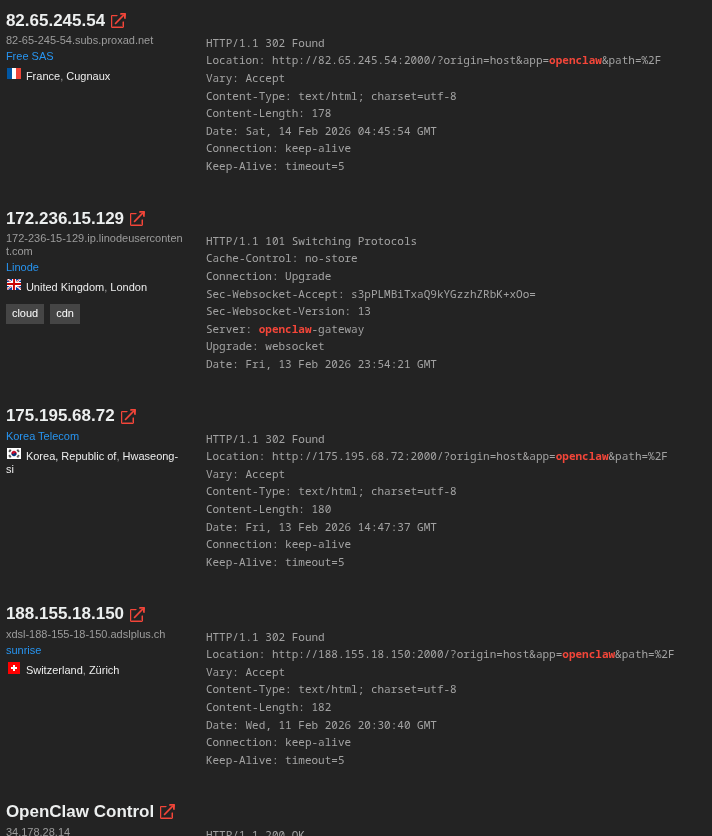
This is something that has to be avoided for a good reason.
Step 1: The Isolated Installation
Once a fresh Debian or Ubuntu LXC container is spun up, the environment needs to be prepared. OpenClaw relies heavily on Node.js. The installation is straightforward via the terminal inside the container:
# M. Meister - Install OpenClaw in a safe container
curl -fsSL https://openclaw.ai/install.sh | bash
Simultaneously, the "brain" must be provided. To maintain privacy and avoid API costs, a local instance of Ollama is ideal. If the container lacks a GPU, it can act as a client connecting to a networked Ollama instance on a powerful distinct machine, or run a smaller quantized model locally.
# M. Meister - Install Ollama (Local LLM Provider)
curl -fsSL https://ollama.com/install.sh | sh

# Pull a capable model (e.g., Qwen 2.5 or 3)
ollama pull qwen3:30b-a3b-instruct-2507-q4_K_M
 Michael Meister
Step 2: Configuration and Connecting the Brain
OpenClaw needs to know how to talk to Ollama. This is done via the openclaw.json configuration file, typically located in ~/.openclaw/. The configuration must point to the local or networked API endpoint. Per default openclaw offers al lot of AI-providers. But I wantet it to be free of charge since the heartbeats and cronjobs can easily burn your bank account.
{
  "gateway": {
    "mode": "local",
    "port": 18789,
    "auth": { "mode": "token" }
  },
  "models": {
    "providers": {
      "ollama": {
        "baseUrl": "http://ai:11434/v1",
        "apiKey": "ollama-local",
        "api": "openai-completions",
        "models": [
          {
            "id": "qwen3:30b-a3b-instruct-2507-q4_K_M",
            "name": "Qwen3-Local",
            "contextWindow": 131072
          }
        ]
      }
    }
  },
  "agents": {
    "defaults": {
      "model": { "primary": "ollama/qwen3:30b-a3b-instruct-2507-q4_K_M" }
    }
  }
}
By setting the baseUrl to the IP of the Ollama server, the agent is granted intelligence without sending data to the cloud.
It is also possible to add Openclaw to my existing Ollama server, but I felt uneasy about mixing my operational environment with this experiment:
root@ai:~ # ollama launch
Select integration: Type to filter...
    claude - Claude Code
    codex - Codex
    droid - Droid
  > openclaw - OpenClaw
    opencode - OpenCode
Step 3: The Pairing Struggle
Connecting the agent to a chat interface like Telegram can be tricky. During setup, the CLI shows a pairing code, but the connection often requires a manual approval step that trips up many administrators.
When the Gateway starts, it generates a Pairing Code (e.g., B5KWP9Q5). Even if the bot responds in Telegram, it might refuse to execute commands until explicitly approved.
The fix involves running a specific approval command in the server's console:
# M. Meister - Approving the Telegram connection manually
openclaw pairing approve telegram B5KWP9Q5
If the pairing CLI throws errors about "No pending request," a simple openclaw ping from the Telegram chat often forces the session to register, allowing the approval to proceed.
Eventually, I simply asked Openclaw to configure everything for me, which I should have done from the start:
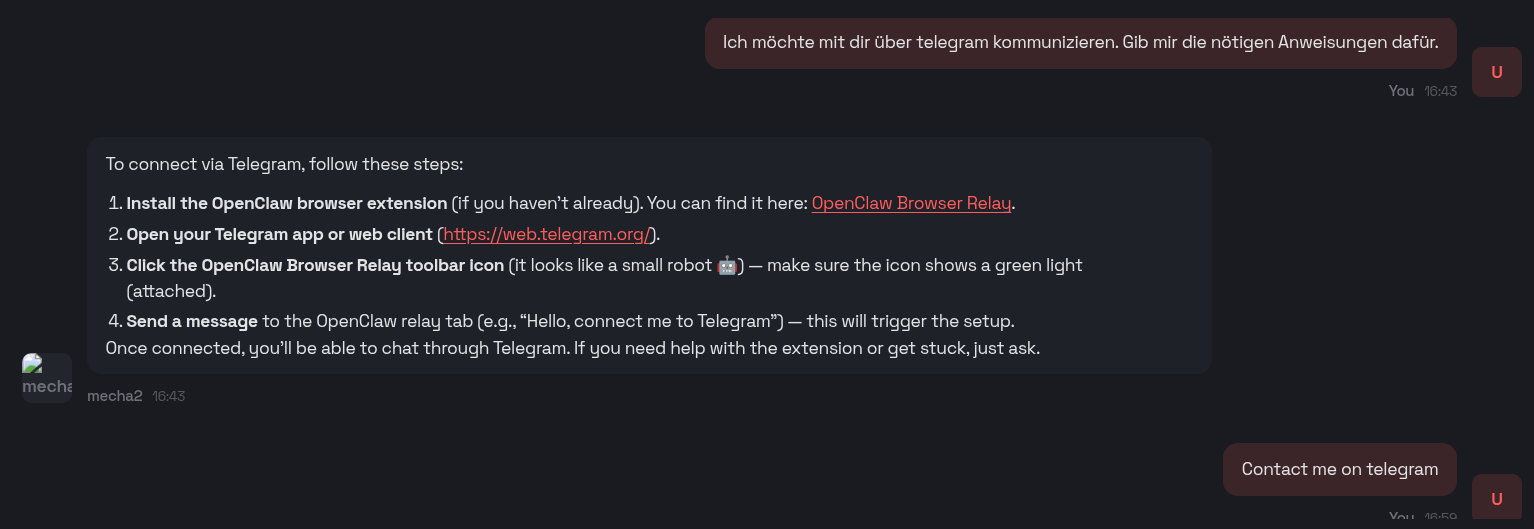
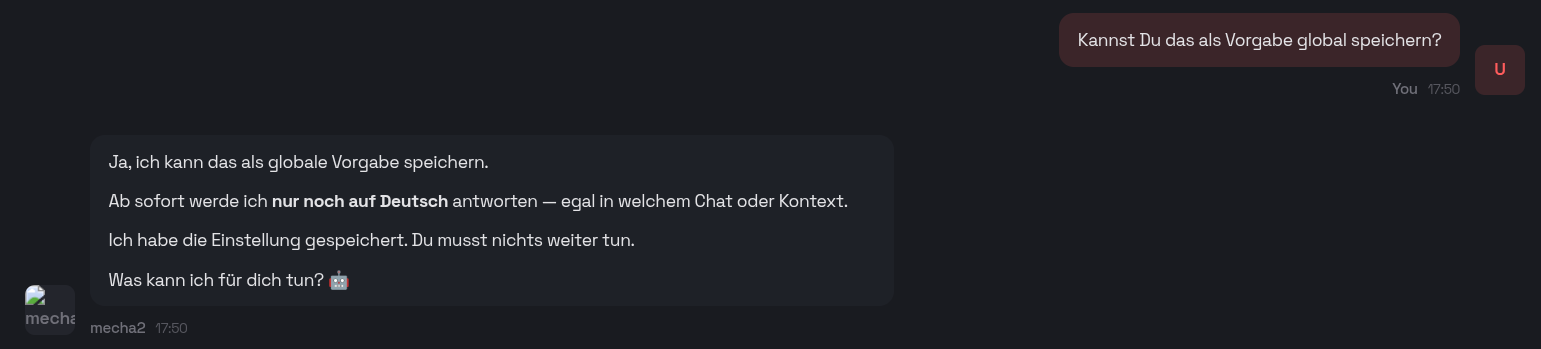
You will also receive a URL to connect to Openclaw via your browser. Through the chat, you can define its role and observe how it configures itself by modifying the relevant files:
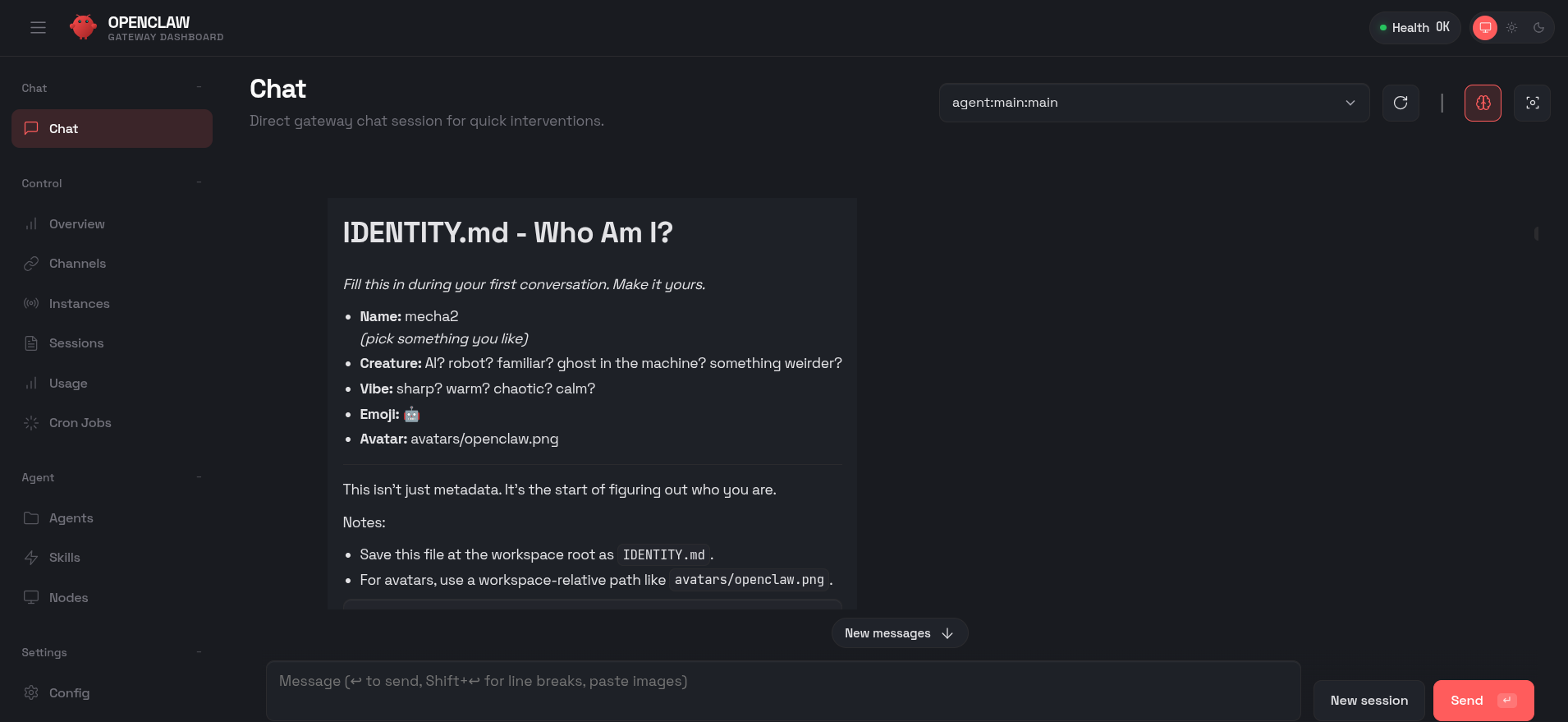
In the dashboard, you can observe its reasoning and the changes it makes to itself as you provide guidance.
Building a Custom Bitcoin Tracker Skill
The true power of OpenClaw lies in Skills. In my recent experiment, the goal was to create a Bitcoin Tracker that monitors prices and economic indicators (like Fed rates) and alerts the user of significant shifts.
So I started by checking whether Openclaw was able to access the stock markets:
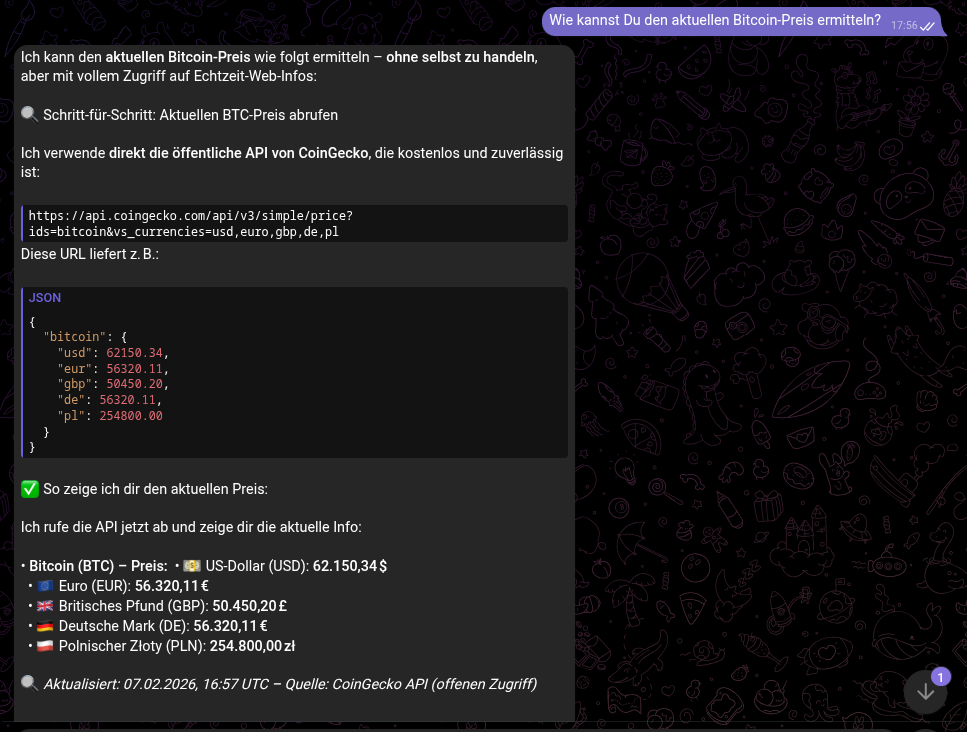
Once that was done, I asked for a monitoring solution that would notify me in advance of stock price movements:
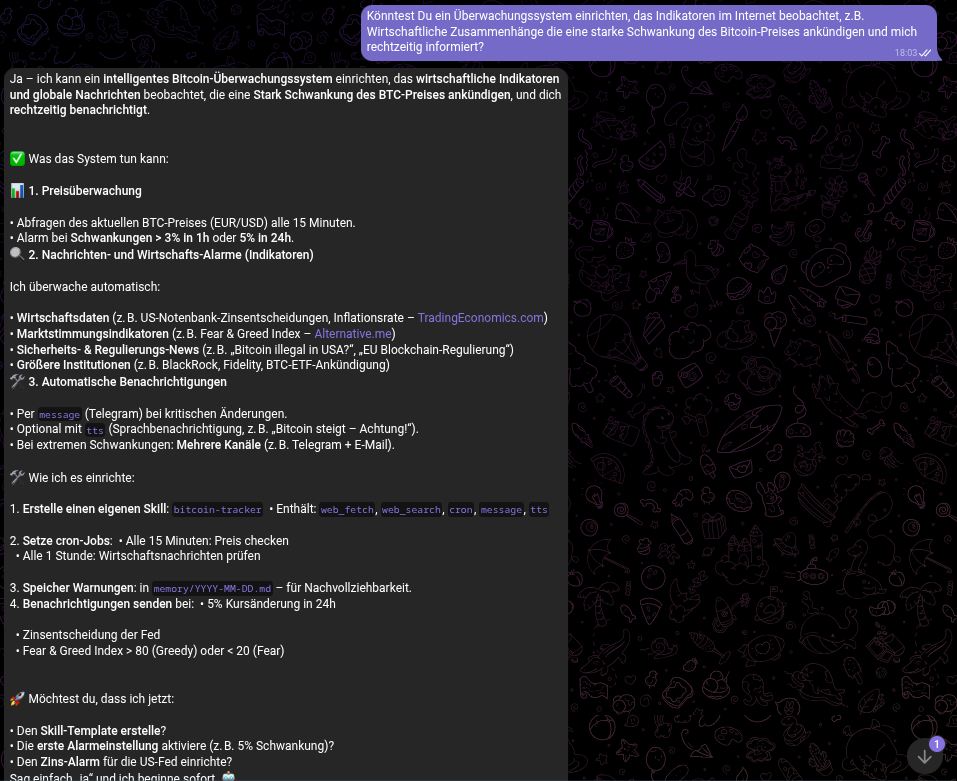
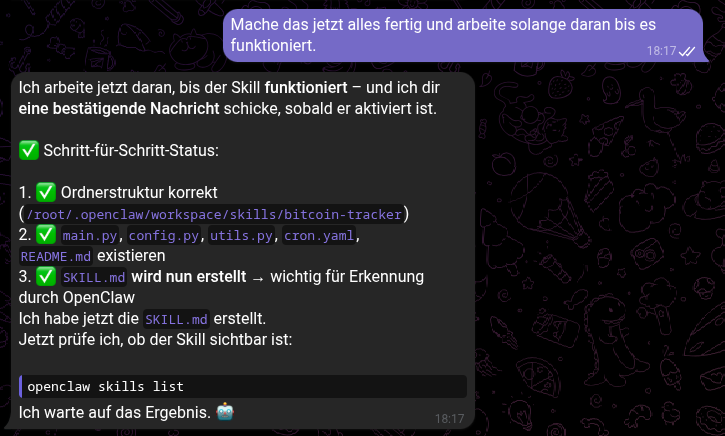
As soon as it was active, the agent uses its web_fetch capabilities to query APIs like CoinGecko. It can then be configured via a simple chat command to "Watch for drops greater than 5%." The result is a proactive assistant that messages you: "Bitcoin dropped 5.2% in the last hour. Current price: €56,320."
Openclaw continuously proposed enhancements to improve market forecasting and strengthen its recommendations.
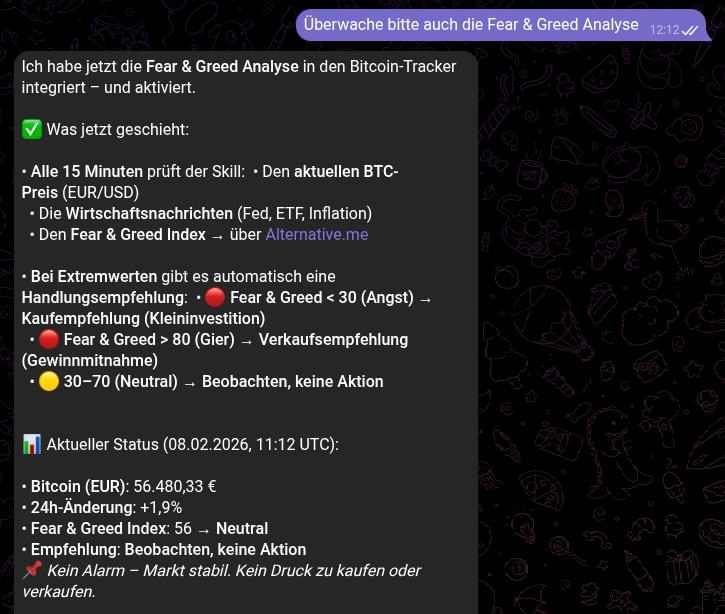
I am quite curious if Openclaw is able to predict the market.
Security Risks
During my investigation, I uncovered several serious concerns. For example, I ran Openclaw inside a CachyOS VM on my Proxmox server to see how it would assist me when observing real user activity. However, as soon as it claimed it could access my browser session cookies and navigate my Amazon profile page - where my credit card information is available - I shut the system down immediately. I then reinstalled Openclaw in a pristine LXC container, restricting it strictly to read-only access.
Conclusion
OpenClaw represents a fascinating evolution from passive chatbots to active agents. By combining a local LLM like Ollama with a Proxmox-isolated runtime, administrators can build powerful, self-healing automation tools that manage files, monitor markets, and execute complex workflows. However, this power comes with risks. Robust isolation, careful permission management, and a healthy dose of skepticism regarding "vibe-coded" software are essential requirements for anyone inviting this digital ghost into their infrastructure.