AI-Powered OCR: Making Scans Searchable with Ollama
Traditional OCR struggles with invoices. Learn how to use local AI models to create perfectly searchable PDF archives.


In a previous article, we explored the classic approach of retrofitting OCR on scanned documents. While tools like ocrmypdf (based on Tesseract) are reliable workhorses, they often stumble when faced with complex layouts like multi-column invoices or tables. Today, we are upgrading our arsenal by leveraging Vision Language Models (VLMs) to not just "see" characters, but to "understand" documents, creating a searchable layer that outperforms traditional algorithms.
The Shift from Pattern Matching to Visual Understanding
For decades, OCR (Optical Character Recognition) relied on pattern matching—detecting edges and guessing characters. This works for a book page but fails miserably on a chaotic invoice. When a "dumb" algorithm sees a table, it often reads across columns, merging unrelated data into a garbled mess.
Enter Vision Models (like MiniCPM-V or LLaVA). These models do not process pixels linearly; they process the image holistically. They recognize that a block of text on the right is a separate column from the text on the left.
The Insight: We are not just upgrading software; we are changing the paradigm from deciphering shapes to reading context.
The Architecture: The "Sandwich" Strategy
To make a standard PDF searchable using AI, we face a technical hurdle: Generative AI models (via Ollama) return raw text, but they rarely provide the exact X/Y coordinates (bounding boxes) for every word. Without coordinates, we cannot tell the PDF viewer exactly where to highlight the text.
To solve this, we employ a "Sandwich" architecture:
- Bottom Layer (The Payload): We extract the text using the
minicpm-vmodel via Ollama. We convert this text into an invisible PDF page. - Top Layer (The Facade): We take the original scanned image and place it directly over the text layer.
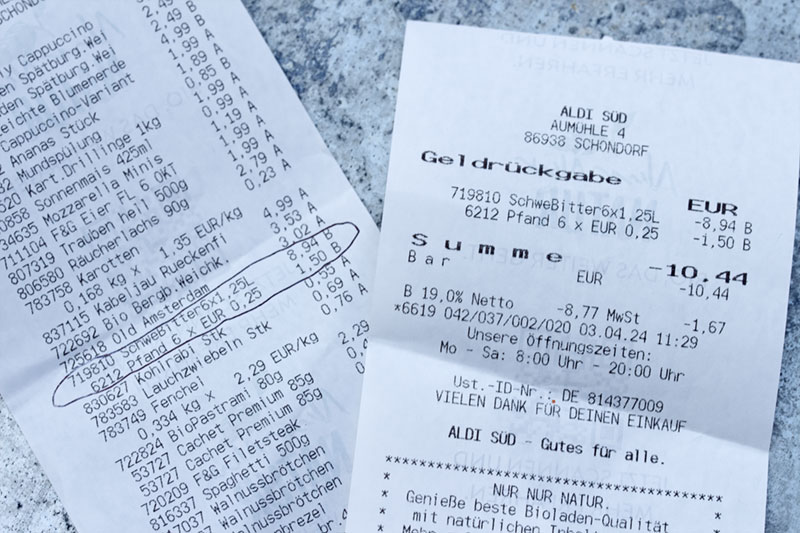
The Result: When you press Ctrl+F and search for an invoice number, the PDF viewer finds the text in the background layer and jumps to the correct page. The highlighting might not be pixel-perfect around the specific word (since we lack coordinates), but for digital archiving and retrieval, this is the pragmatic sweet spot.
The Toolchain & Prerequisites
Before automating this, we must prepare the environment. A true engineer respects their dependencies.
You will need a Linux environment (Debian/Ubuntu preferred) with the following tools:
- Ollama: Running the
minicpm-vmodel. - Poppler-utils: For
pdftoppm(splitting PDFs into images). - Enscript & Ghostscript: To convert raw text into a PDF format.
- Pdftk: The "Swiss Army Knife" for merging the PDF layers.
- ImageMagick: For image conversion.
sudo apt install poppler-utils ghostscript enscript pdftk jq curl imagemagick
Critical Configuration: The ImageMagick Policy Trap
On modern security-hardened distributions (like Debian 12 or Ubuntu 24.04), ImageMagick is often forbidden from writing PDF files by default. This is a security feature, not a bug, but it blocks our workflow.
You must edit /etc/ImageMagick-6/policy.xml. Find the line regarding PDF rights and modify it to allow writing:
<!-- Change rights="none" to rights="read|write" -->
<policy domain="coder" rights="read|write" pattern="PDF" />
The Model: MiniCPM-V
We choose MiniCPM-V because it currently offers the best performance-to-resource ratio for OCR tasks on consumer hardware. It hallucinates less than LLaVA on dense text.
ollama pull minicpm-v
The Automation Script
The following script automates the entire pipeline: splitting, analyzing, synthesizing, and merging.
Note: This script assumes your Ollama instance is reachable at localhost. Adjust OLLAMA_URL if running remotely.
#!/bin/bash
# AI OCR Script by M. Meister
# A wrapper to sandwich AI-generated text behind scanned images.

# --- CONFIGURATION ---
OLLAMA_URL="http://ai:11434"
MODEL="minicpm-v"
INPUT_FILE="$1"
# Clean output filename generation
OUTPUT_FILE="${INPUT_FILE%.*}_ai_searchable.pdf"
TMP_DIR=$(mktemp -d)

# --- DEPENDENCY CHECK ---
check_deps() {
    local deps=(pdftoppm enscript ps2pdf pdftk jq curl convert)
    for cmd in "${deps[@]}"; do
        if ! command -v $cmd &> /dev/null; then
            echo "Error: Required tool '$cmd' is not installed."
            exit 1
        fi
    done
}

# --- EXECUTION ---

if [ -z "$INPUT_FILE" ]; then
    echo "Usage: $0 <input_scanned.pdf>"
    exit 1
fi

check_deps

echo "Processing: $INPUT_FILE"
echo "Working Directory: $TMP_DIR"

# 1. Split PDF into individual JPEG images
echo "[1/4] Extracting pages as images..."
# -r 150 defines DPI. Higher DPI = Slower AI processing but better accuracy.
pdftoppm -jpeg -r 150 "$INPUT_FILE" "$TMP_DIR/page"

# Create array of generated images
PAGES=("$TMP_DIR"/page-*.jpg)
TOTAL_PAGES=${#PAGES[@]}
GENERATED_PDFS=()

echo "      -> Extracted $TOTAL_PAGES pages."

# 2. Iterate through pages
i=0
for img in "${PAGES[@]}"; do
    ((i++))
    echo "[2/4] Analyzing Page $i / $TOTAL_PAGES with Model: $MODEL..."

    # Convert image to Base64 for API transmission
    IMG_BASE64=$(base64 -w 0 "$img")

    # Construct JSON Payload
    # We explicitly instruct the model to avoid conversational filler.
    JSON_PAYLOAD=$(jq -n \
                  --arg model "$MODEL" \
                  --arg img "$IMG_BASE64" \
                  --arg prompt "Extract all text from this image accurately. Preserve the reading order of columns. Do not add any markdown formatting, explanations, or commentary. Just output the raw text content." \
                  '{model: $model, prompt: $prompt, images: [$img], stream: false}')

    # Send to Ollama
    RESPONSE=$(curl -s "$OLLAMA_URL/api/generate" -d "$JSON_PAYLOAD")

    # Extract actual text from JSON response
    TEXT_CONTENT=$(echo "$RESPONSE" | jq -r .response)

    # Fallback for empty responses
    if [ "$TEXT_CONTENT" == "null" ] || [ -z "$TEXT_CONTENT" ]; then
        echo "WARNING: No text detected on page $i or API failure."
        TEXT_CONTENT=" "
    fi

    # 3. Create the Text Layer
    TXT_FILE="$TMP_DIR/page_$i.txt"
    PS_FILE="$TMP_DIR/page_$i.ps"
    TEXT_PDF="$TMP_DIR/page_$i_text.pdf"
    IMAGE_PDF="$TMP_DIR/page_$i_img.pdf"
    FINAL_PAGE="$TMP_DIR/page_$i_merged.pdf"

    echo "$TEXT_CONTENT" > "$TXT_FILE"

    # Convert Text -> PostScript -> PDF
    # -B: No header, -f: Font selection
    enscript -B -f Times-Roman10 -o "$PS_FILE" "$TXT_FILE" 2>/dev/null
    ps2pdf "$PS_FILE" "$TEXT_PDF"

    # Convert the Scan Image back to PDF (The visual layer)
    convert "$img" "$IMAGE_PDF"

    # 4. Sandwich: Background = Text, Foreground = Image
    # 'background' in pdftk applies the watermark BEHIND the input.
    # Since our Image PDF is opaque white, it covers the text.
    # This makes text searchable but invisible to the eye.
    pdftk "$IMAGE_PDF" background "$TEXT_PDF" output "$FINAL_PAGE"

    GENERATED_PDFS+=("$FINAL_PAGE")
done

# 5. Merge all pages back into one file
echo "[4/4] Assembling final document: $OUTPUT_FILE"
pdftk "${GENERATED_PDFS[@]}" cat output "$OUTPUT_FILE"

# Cleanup
rm -rf "$TMP_DIR"

echo "Success. Document is now searchable via AI context."
Limitations and Wisdom
While this approach is powerful, a security professional must understand the trade-offs of their tools.
- Search vs. Select: Because we are generating a block of text and placing it behind the image, the search function works perfectly to find the page. However, the visual highlighting will be imprecise. You are searching the "spirit" of the document, not the exact pixel location.
- Resource Cost: Unlike Tesseract, which runs on a toaster, running Vision Models requires VRAM or significant CPU time. On a standard laptop, expect 10 seconds per page.
- The Precision Alternative: If your use case demands pixel-perfect text selection (e.g., copying specific numbers from a bank statement into Excel), Ollama is not the right tool. For that, I recommend looking into Surya-OCR. It is a specialized Transformer model designed specifically for exact text layout and bounding box detection, though it requires a Python environment setup (
pip install surya-ocr).
Conclusion
By integrating AI into our scanning workflow, we solve the "unstructured data" problem that has plagued archiving for years. We move from simple character recognition to document comprehension. Implementing this script transforms your digital archive from a pile of images into a searchable knowledge base that can fed for example into open-webui or lite-llm while reducing misinterpretations to a minimum.